HOW TO: View Canceled Appointments
Navigate to your ‘Calendar’ from the Main Menu icon  in the top left corner
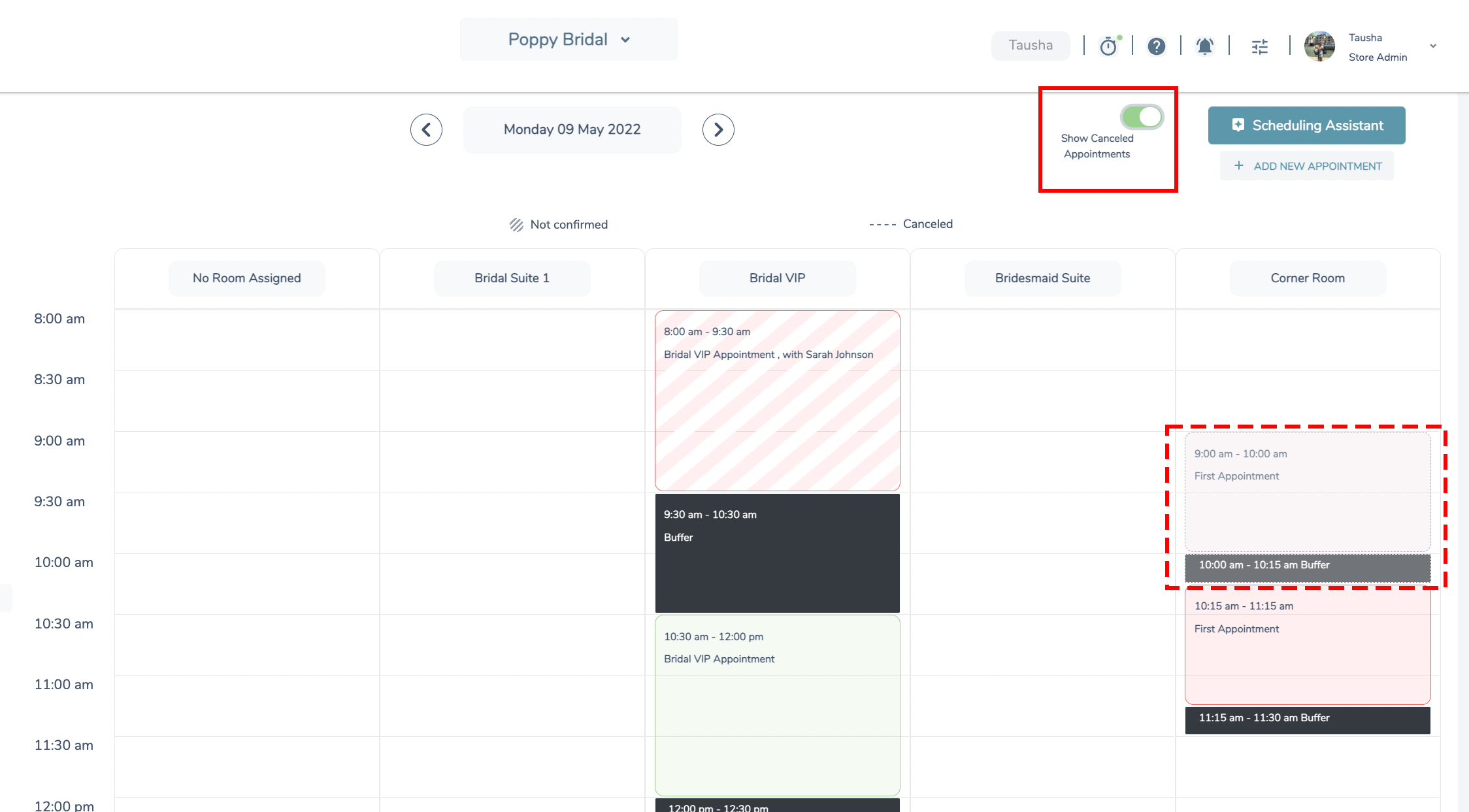
- Toggle the ‘Show Canceled Appointments’ button to ON (Green = ON)
- Locate the correct date of the appointment in question
- Canceled appointment should now display on the calendar